National Platform for Productive Families User Guide

Step two
Enter your ID or residence number and password, then click "Submit"

Step 3
Click on update data

Step Four
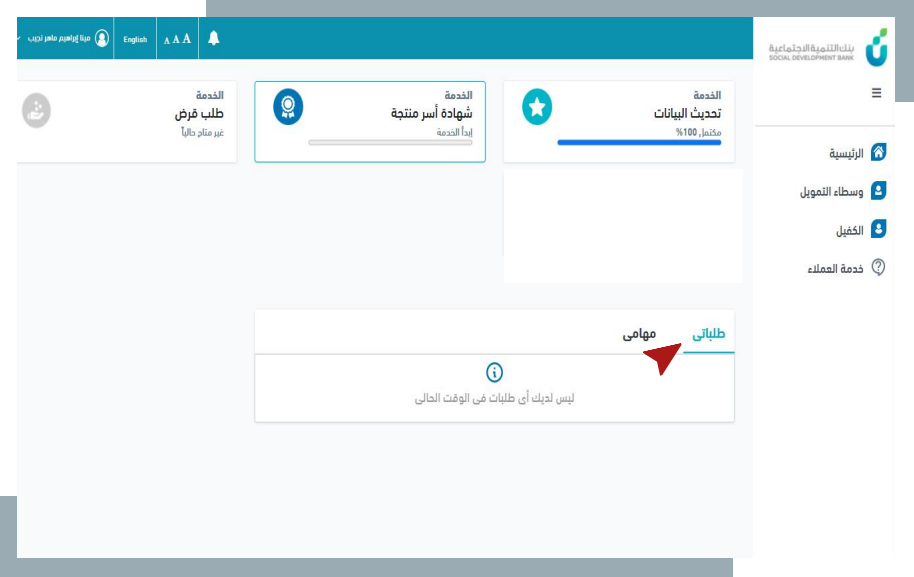
Add all the data until the update rate becomes 100%

Step Five
Click "Save"

Step 6
Click "Yes"
Data and progress are updated.

note
This will update the data and progress rate.

note
When the data update rate reaches 100%, the customer will be able to apply for services for productive families.

note
Upon completion of updating the data, the customer will see the My Requests and My Tasks boxes:
My Requests box to follow up on created requests, their status, and view request data
My Tasks box shows the requests that need to be taken action on.