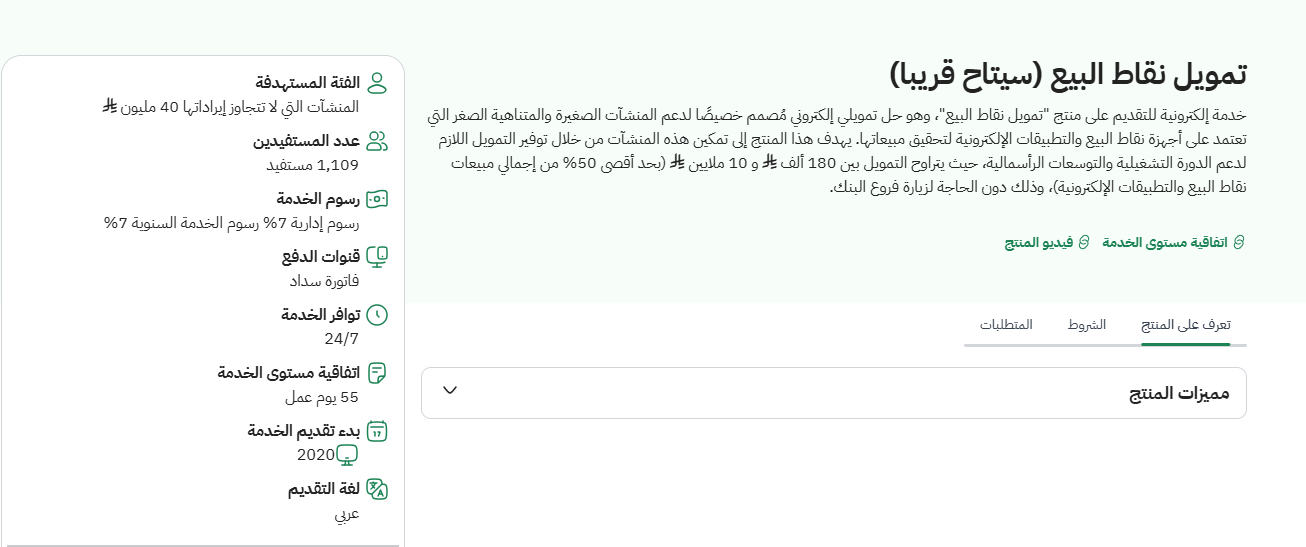
Click on the online submission option from the required product page
POS (Point of Sale) Loan User manual

The first step
Step 2
Login via the National Single Sign-On Portal

Step 3
From the main menu, select Register a new facility.

Step 4
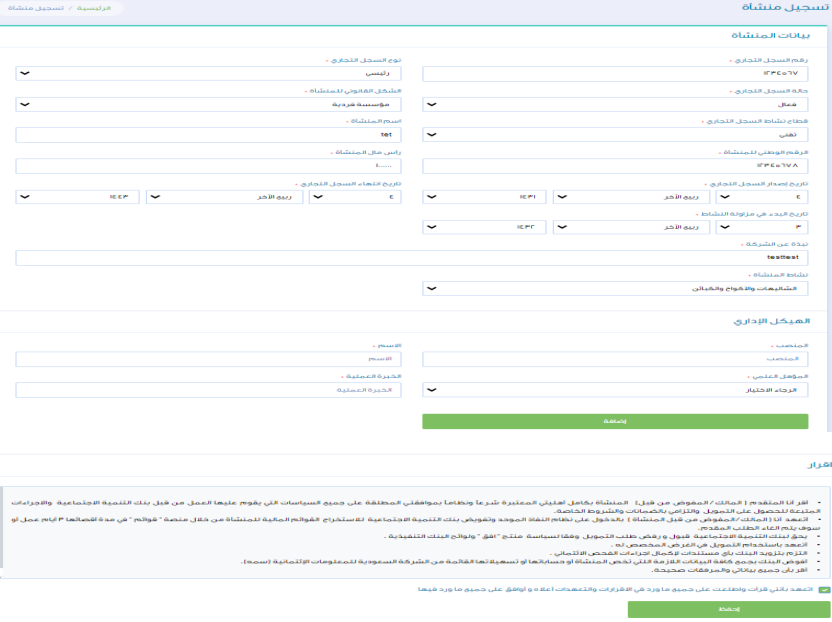
Fill in the facility data

Step 5
Fill in all the facility data, then acknowledge the validity of the data, then save
Step 6
After saving the facility data from the main menu, select a new financing request and choose Point of Sale Financing.

Step 7
Acknowledge reading the terms and conditions and then choose the branch

Step 8
Data is being filled in for the facility.


Step 9
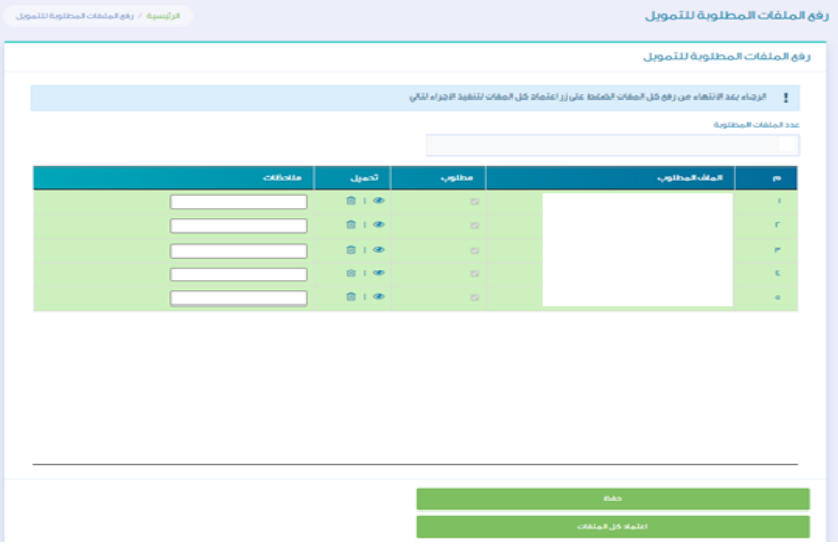
After filling in the data, the files required for financing are uploaded.


Step 10
Click on the Approve Request button after making sure that all required files have been uploaded.

Notes
You can update and modify the facility data.
